이미지 리스트 출력 예제
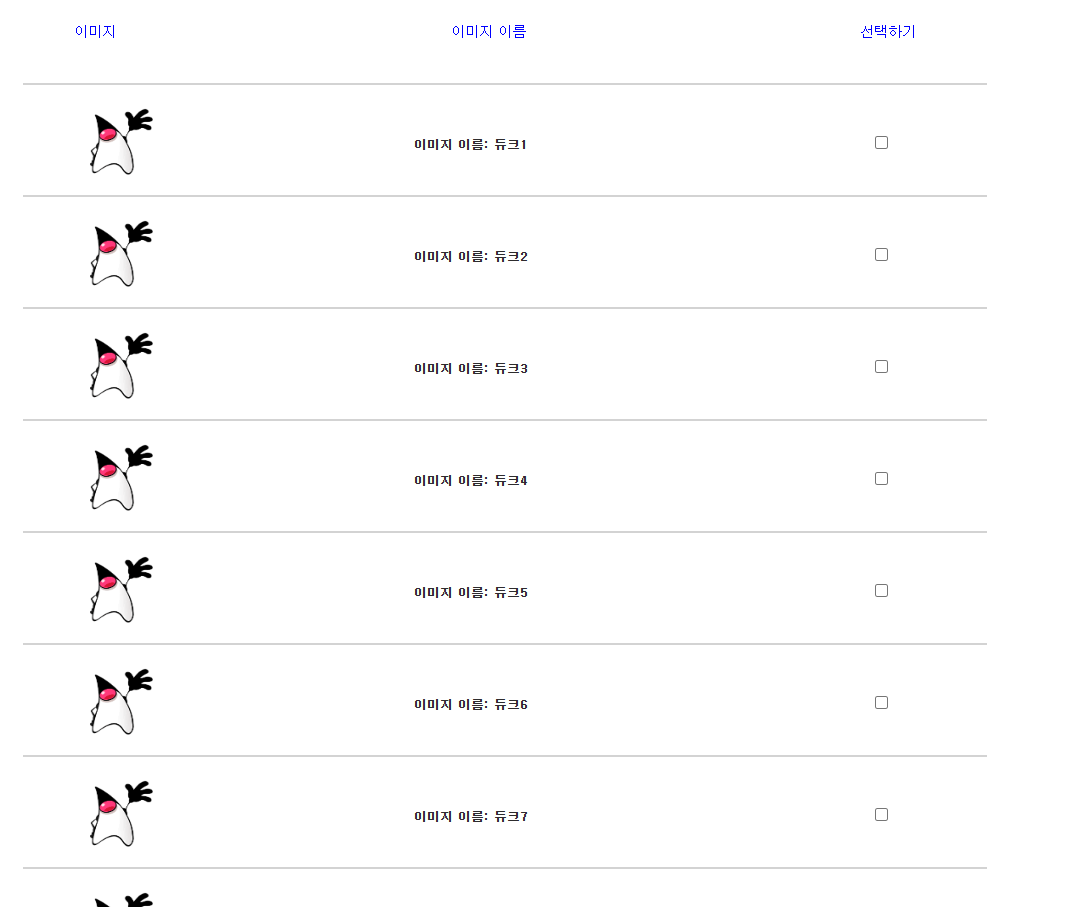
1. 다음과 같이 imageList.jsp를 작성합니다. <c:forEach> 태그를 이용해 <ul> 태그 안에 <li> 태그를 연속해서 출력하여 이미지를 나타냅니다.
<%@ page language="java" contentType="text/html; charset=UTF-8"
    pageEncoding="UTF-8"
    isELIgnored="false" %>
<%@ taglib prefix="c" uri="http://java.sun.com/jsp/jstl/core" %>
<%
  request.setCharacterEncoding("UTF-8");
%>
<!DOCTYPE html>
<html>
<head>
	<style>
		.lst_type{overflow:hidden;width:80%;padding:0 10px 10px; margin:0 auto}
		.lst_type li{overflow:hidden;clear:both;margin:10px 0 0;color:#2d2c2d;
		font-family:'돋움',Dotum;font-size:12px;line-height:100px;
		list-style:none ; border-bottom: 2px solid lightgray;position:relative; }
		.lst_type li img{display:inline;float:left;position:absolute; }
		.lst_type li a{color:#2d2c2d;text-decoration:none; margin-left:340px}
		.lst_type li a:hover{text-decoration:underline}
		.lst_type li span{color:blue; margin-left:330px;font-family:'돋움',Dotum;font-size:14px;  }
	</style>
	<meta charset="UTF-8">
	<title>이미지리스트창</title>
</head>
<body>
	<ul class="lst_type">
	    <li>
	      <span  style='margin-left:50px' >이미지 </span>
	      <span >이미지 이름</span>
	      <span >선택하기</span>
	    </li>
	    <c:forEach var="i"  begin="1" end="9" step="1"  >
			<li>
			   <a href='#' style='margin-left:50px'  ><img src='../image/duke.png' width='90' height='90' alt='' /></a>
			   <a href='#' ><strong>이미지 이름: 듀크${i} </strong></a>
			    <a href='#' > <input  name='chk${i}' type='checkbox'  /></a>
			</li>
		</c:forEach>
	</ul>
</body>
</html>
2. http:localhost:8080/pro14/tes04/imageList.jsp로 요청하여 실행 결과를 확인합니다.
'프로그래밍 언어 > 자바 웹' 카테고리의 다른 글
| 한글을 아스키 코드로 변환하기 - Properties Editor 설치하기 (0) | 2026.03.21 |
|---|---|
| 다국어 태그 라이브러리 사용하기 (0) | 2026.03.18 |
| 구구단 출력 예제 (0) | 2026.03.12 |
| 학점 변환기 예제 (1) | 2026.03.09 |
| Core 태그 라이브러리 실습 예제 (0) | 2026.03.06 |