JSP에서 파일 업로드
파일 업로드 라이브러리 설치
파일 업로드 기능을 사용하려면 오픈 소스 라이브러리를 설치해야 합니다. 파일 업로드 라이브러리를 설치하고 과정은 다음과 같습니다.
1. jakarta.apache.org로 접속한 후 왼쪽 메뉴에서 Commons를 클릭합니다.

2. 페이지 왼쪽 중간쯤에 위치한 FileUpload를 클릭합니다.
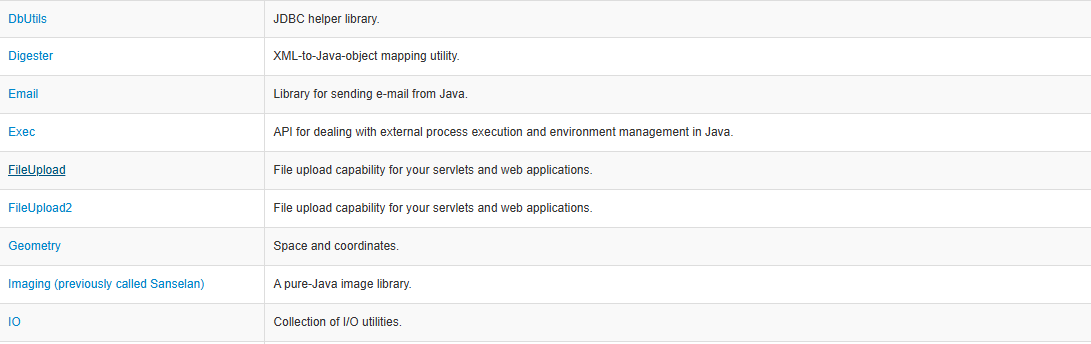
3. Releases에 있는 download site을 클릭합니다.

4. commons-fileupload-1.6.0-bin.zip을 클릭해 다운로드합니다.
5. zip 파일의 압축을 풉니다.
6. 압축을 푼 폴더의 하위 폴더인 commons-fileupload-1.3.3-bin에 위치한 commons-fileupload-1.6.0.jar 파일을 복사합니다.
7. 프로젝트 pro15의 WEB-INF 하위에 있는 lib 폴더에 붙여 넣습니다.
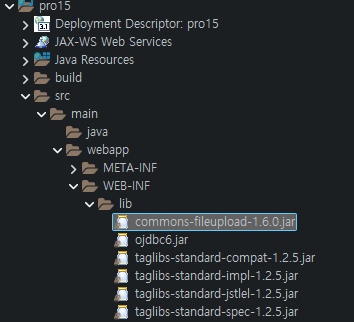
commons-io-2.21.0.jar 파일 설치
1. 다음 링크로 접속한 후 commons-io-2.21.0-bin.zip을 클릭해 다운로드합니다.
https://commons.apache.org/proper/commons-io/download_io.cgi
Download Apache Commons IO – Apache Commons IO
Download Apache Commons IO Using a Mirror We recommend you use a mirror to download our release builds, but you must verify the integrity of the downloaded files using signatures downloaded from our main distribution directories. Recent releases (48 hours)
commons.apache.org

2. 로컬 PC의 여러분이 원하는 폴더에 zip 파일의 압축을 풉니다.
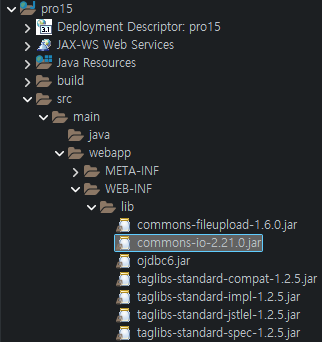
3. commons-io.2.6.zip 폴다로 이동한 후 commons-io-2.6.jar 파일을 복사해 이클립스 프로젝트의 WEB-INF/lib 폴더에 붙여 넣습니다.
'프로그래밍 언어 > 자바 웹' 카테고리의 다른 글
| JSP 페이지에서 파일 업로드 (0) | 2026.04.16 |
|---|---|
| 파일 업로드 관련 API (0) | 2026.04.13 |
| 표현 언어와 JSTL을 이용한 회원 관리 실습 (1) | 2026.04.08 |
| 문자열 처리 함수 사용하기 (1) | 2026.04.05 |
| 포매팅 태그 라이브러리 사용 실습 (0) | 2026.04.02 |